Cybersecurity Tips That Could Save You From Losing Everything in 2026
It’s 11:43 PM.
You get a notification.
“₹48,750 debited from your account.”
You didn’t buy anything.
You didn’t click any suspicious link.
You didn’t download anything.
But your money is gone.
This is how cybersecurity failures feel. Not dramatic. Not cinematic. Just silent… and expensive.
Cybersecurity is no longer for IT professionals. It’s for students. Parents. Business owners. Freelancers. Teachers. Everyone.
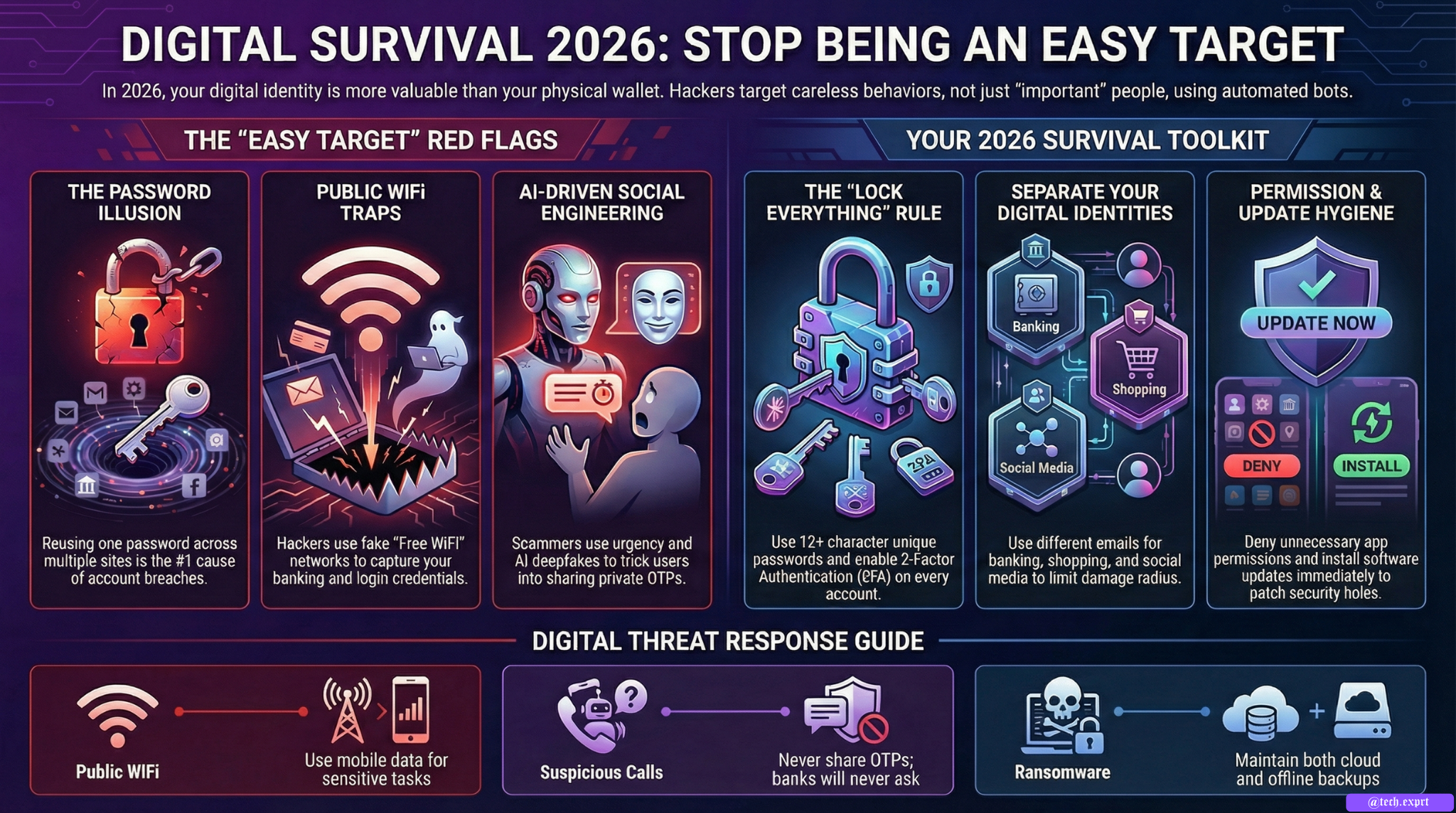
Because in 2026, your digital identity is more valuable than your physical wallet.
Let’s talk about how to protect it.
The Biggest Lie People Tell Themselves
“I’m not important enough to be hacked.”
Hackers don’t target important people.
They target careless behavior.
They don’t care who you are.
They care if you:
• Reuse passwords
• Click unknown links
• Connect to free WiFi
• Ignore software updates
• Share OTPs
• Trust random calls
Cybercrime today is automated. Bots scan millions of people daily.
If you’re online — you’re a target.
The Password Illusion
Let’s be honest.
If I asked you right now:
“How many websites use the same password as your Gmail?”
Would you feel comfortable answering?
Password reuse is the #1 reason accounts get hacked.
When one small website gets breached, hackers test your email-password combination on:
• Banking apps
• Instagram
• Facebook
• Amazon
• Crypto wallets
And if it works?
Game over.
What You Should Do Instead
Use:
✔ Different passwords for important accounts
✔ At least 12 characters
✔ Mix of letters, numbers, symbols
✔ Password manager (recommended)
Better yet — enable 2-Factor Authentication everywhere.
Public WiFi Is Not Your Friend
Airport WiFi.
Café WiFi.
Mall WiFi.
Convenient? Yes.
Safe? Not necessarily.
Attackers can create fake networks like:
“Free Airport WiFi”
“Starbucks_Guest_Official”
Once you connect, they can:
• Monitor your traffic
• Capture login credentials
• Inject malware
If you must use public WiFi:
• Avoid banking apps
• Avoid online payments
• Use mobile data for sensitive tasks
Your Phone Is a Gold Mine
Your smartphone contains:
• Banking apps
• OTP messages
• Photos
• Documents
• Social media
• Email
• Notes
• Contacts
Losing phone access = losing digital life.
And yet most people:
• Don’t use screen lock
• Don’t enable app lock
• Don’t update OS
• Install random apps
That’s dangerous.
The Silent Danger of App Permissions
Have you ever installed a flashlight app that asks for:
• Contact access
• Microphone access
• Location access
Why does a flashlight need your contacts?
It doesn’t.
Malicious apps harvest data silently.
Before installing any app:
Pause.
Ask yourself:
“Does this app really need this permission?”
If not — deny it.
Social Engineering: The Most Powerful Weapon
Cybersecurity isn’t about breaking systems.
It’s about manipulating people.
You receive a call:
“I’m calling from your bank. There’s suspicious activity. Please share OTP to secure your account.”
Sounds urgent. Sounds official.
But banks never ask for OTP.
Scammers rely on fear.
Slow down. Think.
Urgency is a red flag.
The Update Excuse
You see:
“Update Later.”
And you tap it.
Again.
And again.
Until one day your phone gets exploited through a vulnerability that was patched months ago.
Software updates fix:
• Security holes
• Bugs
• Exploits
Delaying updates = leaving your door unlocked.
Cybersecurity Tips That Actually Work
Instead of boring lists, let’s talk practical lifestyle changes.
1. Treat Your Phone Like Your Wallet
You wouldn’t hand your wallet to strangers.
Don’t hand your unlocked phone either.
2. Assume Every Message Could Be Fake
Even if it looks official.
Verify from official website, not from the message link.
3. Lock Everything
Phone lock
App lock
Laptop lock
Cloud lock
Make it annoying for hackers.
4. Backup Regularly
If ransomware hits, backup saves you.
Cloud + offline backup is ideal.
5. Separate Digital Identities
Use:
One email for banking
One for shopping
One for social media
Limit damage radius.
For Students
Students are high targets because:
• They download cracked software
• Use free WiFi
• Share passwords
• Click scholarship scam links
Be smarter.
Your academic data matters.
For Small Businesses
Small businesses often think:
“We’re too small to be hacked.”
Actually, they are easiest to attack.
Weak security. No IT team.
Implement:
• Strong password policy
• Employee awareness
• Limited admin access
• Regular backups
For Cyber Institutes & Training Centers
Institutes like hSECURITIES must teach:
• Phishing awareness
• USB attack awareness
• Password hygiene
• Social engineering
• Network basics
Cybersecurity is not theory. It’s survival.
The Real Threat in 2026
AI-generated scams.
Deepfake voices.
Fake video calls.
Automated phishing.
Attackers are using AI to scale deception.
Which means:
Human awareness is more important than ever.
Final Thought
Cybersecurity isn’t about paranoia.
It’s about habits.
Small habits prevent big disasters.
You don’t need to be a hacker.
You just need to stop being an easy target.